Database Triggers & Notifications
Jet Admin uniquely leverages advanced PostgreSQL features like Triggers and LISTEN/NOTIFY to bring real-time reactivity to your internal tools.
PostgreSQL Triggers
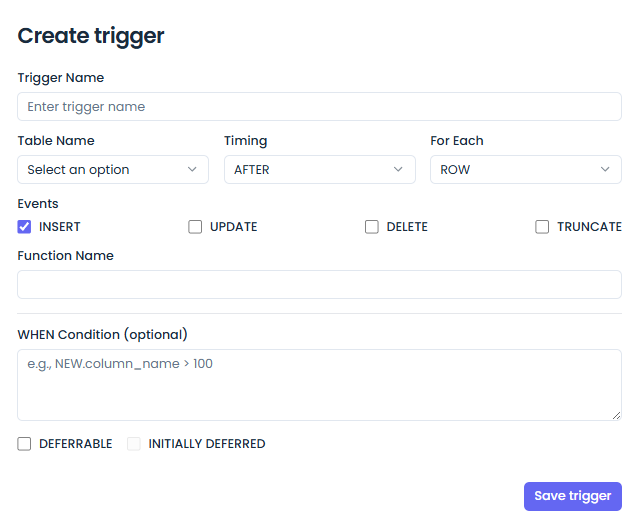
You can define database triggers directly from the UI to automatically execute functions when a row is INSERTED, UPDATED, or DELETED.
- Go to Database > Triggers.
- Select the target table and the event.
- Provide the PL/pgSQL function to execute.
Listen / Notify
Jet Admin's backend can subscribe to database notifications using PostgreSQL's LISTEN command. This enables your widgets (like tables or charts) to update automatically the moment underlying data changes, without needing to repeatedly poll the database.
API Reference Stub
GET /api/v1/tenants/:tenantID/databases/:dbID/triggers- List triggersGET /api/v1/tenants/:tenantID/databases/:dbID/notifications- List active listeners