Scheduled Automation (Cron Jobs)
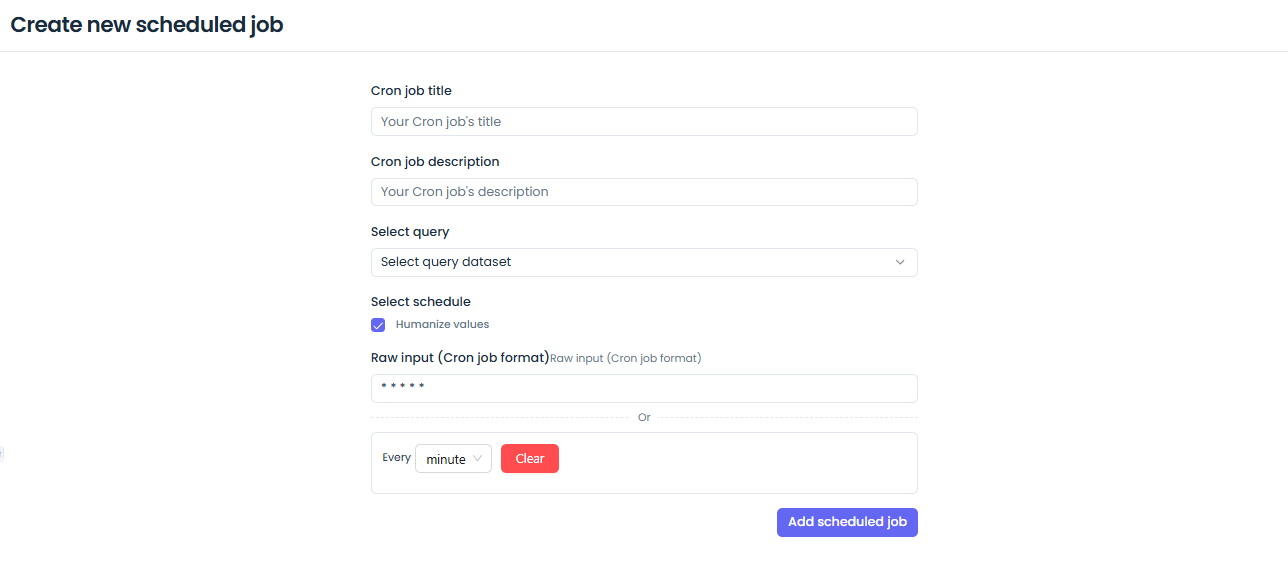
Jet Admin allows you to schedule queries and automated tasks using a familiar cron syntax. This is useful for generating daily reports, syncing data between systems periodically, or cleaning up temporary data.
Creating a Scheduled Job
- Navigate to Automation > Cron Jobs.
- Click Create Job.
- Define the Schedule using standard cron syntax (e.g.,
0 0 * * *for daily at midnight). - Select the Target Action: This can be executing a specific Data Query or triggering a Workflow.
- Save the job to active it.
Monitoring Job Executions
Every time a cron job runs, an execution log is generated. You can view the success, failure, duration, and output of past executions in the job's history tab.
API Reference Stub
GET /api/v1/tenants/:tenantID/cron-jobs- List scheduled jobsPOST /api/v1/tenants/:tenantID/cron-jobs- Schedule a new job