Tenants
Jet Admin is a multi-tenant platform that lets organizations manage isolated workspaces with full data separation, independent configurations, and granular access control.
Every resource — datasources, queries, workflows, widgets, app pages, listeners, cron jobs, API keys, folders — carries a tenantID. All reads/writes are scoped to the tenant in the URL (/api/v1/tenants/:tenantID/...) and enforced by Casbin (r.dom == :tenantID). There is no cross-tenant access except via export/import bundles or the deployment-wide widget library.
Create a tenant
- Upload your tenant logo (optional)
- Enter your tenant's name
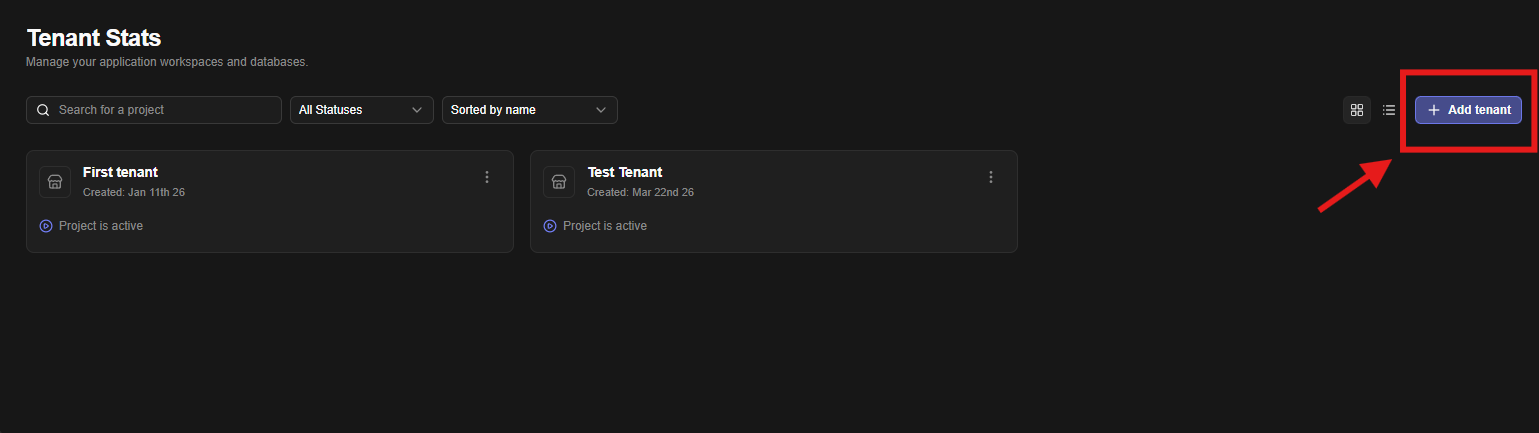
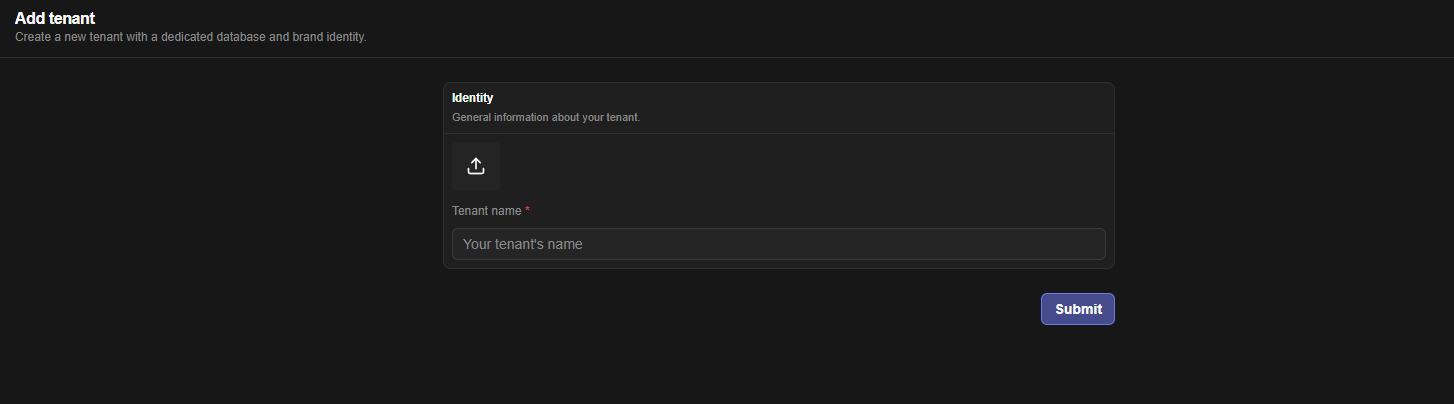
Any signed-in user can create a tenant. The creator is granted full access on the new tenant via grantCreatorAccess (Casbin * on the tenant domain). Membership and custom roles are managed under /:tenantID/users and /:tenantID/roles — see Identity & Access Management.
What belongs to a tenant
| Entity | Table | Notes |
|---|---|---|
| Membership | tblUsersTenantsRelationship, tblUserTenantRoleMappings | Legacy ADMIN/MEMBER column plus Casbin roles |
| Roles / permissions | tblRoles, tblPermissions, tblRolePermissionMappings, tblAPIKeyRoleMappings | Synced to casbin_rule; POST /:tenantID/roles/sync-policies repairs drift |
| API keys | tblAPIKeys | api_key <raw> header; only prefix+SHA-256 hash stored |
| All assets | tblDatasources, tblDataQueries, tblWorkflows, tblWidgets, tblAppPages, tblListeners, tblCronJobs, tblFolders | Each row stores tenantID + creatorID/createdByApiKeyID + folderID |
| Audit | tblAuditLogs | Buffered (50 entries / 5 s flush); GET /:tenantID/audit + /export CSV |
| AI config | per-tenant vault ai_config | Falls back to workspace OPENROUTER_* env; see Configuration Reference |
Delete / transfer
DELETE /api/v1/tenants/:tenantID cascades to tenant rows and calls removePoliciesForResource so no orphan Casbin rules remain. Export anything worth keeping first via POST /:tenantID/import/preview + /execute — see Export & Import Bundles.