Listeners
Listener Module Overview
The Listener Module allows users to listen, subscribe to, or watch data from configured Data Sources.
Each listener is bound to one datasource (datasourceID NOT NULL) and exposes a unique endpointPath per tenant. Webhook ingress is ALL /webhooks/v1/inbound/:tenantID/:pathSuffix and /webhooks/v1/inbound/:listenerID (open CORS, no tenant auth — the path suffix is the secret). Runtime fan-out is Socket.IO rooms listener:<id> / tenant:<id>.
Data Processing Pipeline
Data received through listeners goes through a data pipeline, where the following steps can be added:
- Pre-processing transformations (in JS)
- Post-processing steps, such as:
- Triggering Data queries
- Triggering Workflows
- Pushing live data to any widget
Create a listener
Listener Configuration
- Click on the Listeners Tab
- Click on Add listener button in the right hand side drawer list
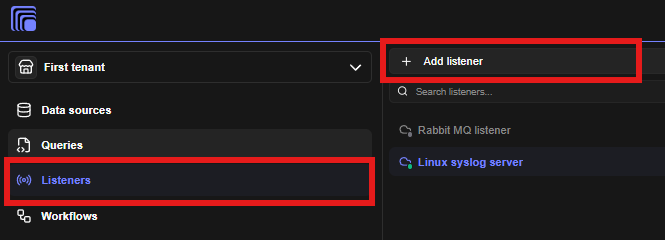
Listener Configuration Steps
- A listener configuration form will appear.
- Select your configured data source.
- Listener fields will appear in the form which are supported by the data source.
- Once all the details are filled, you can click on test to test your query. If your data source is active and sending data, they will appear in console.
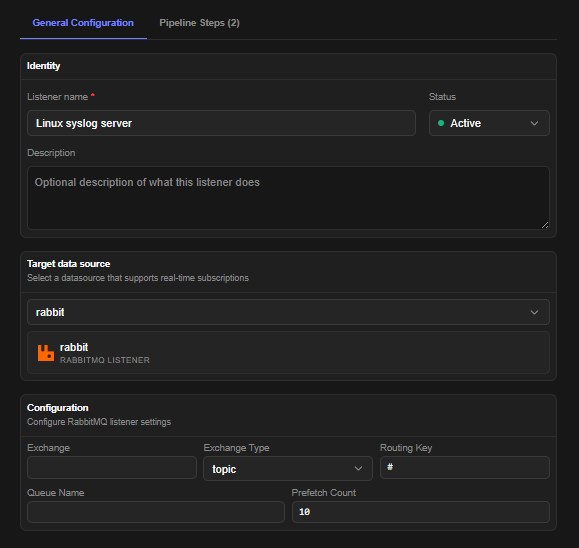
Pipeline Configuration Steps
- Once the listener is configured, you can configure post-ingestion actions & transformations also in the pipeline tab
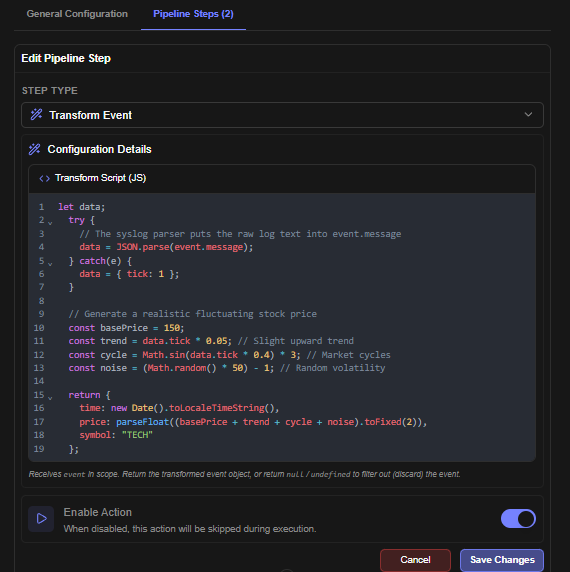
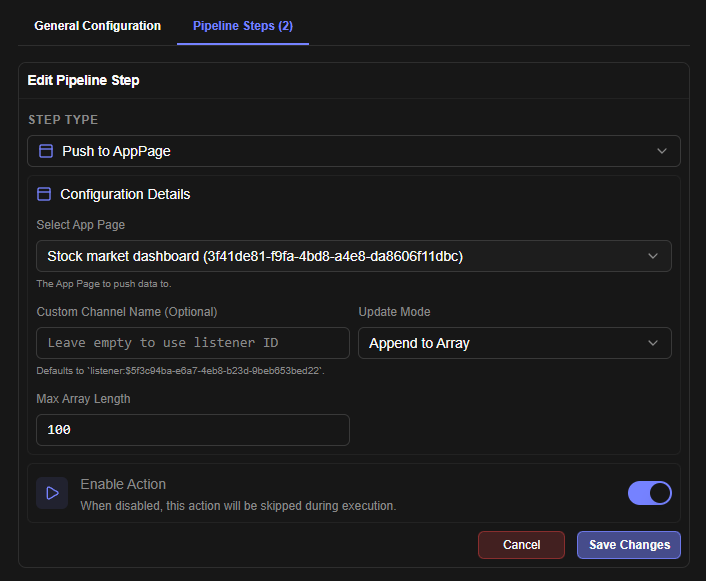
Sample Configuration to Push Data to App Page
This sample configuration demonstrates how to push data to a app page in real-time
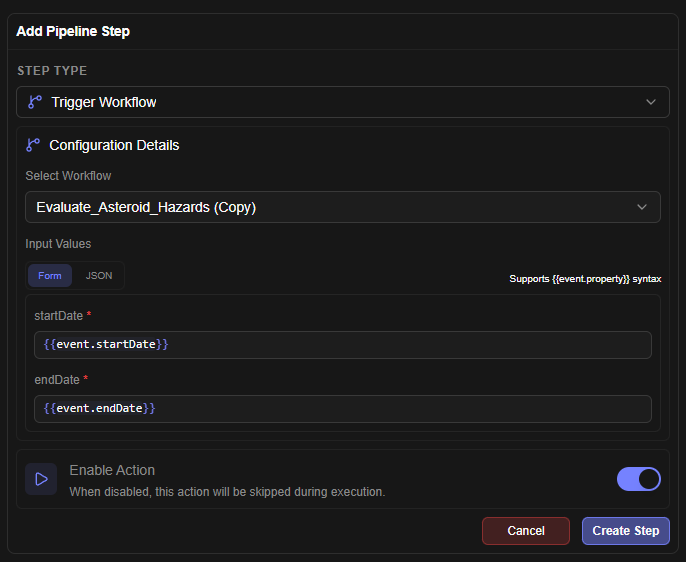
Sample Config to Trigger Workflow
This configuration snippet demonstrates how to trigger a workflow.
Endpoints
Mounted at /api/v1/tenants/:tenantID/listeners:
| Method | Path | Permission | Notes |
|---|---|---|---|
| GET | /status/connections | listener.list | engine connection health |
| GET | /schemas | listener.list | per-datasource listener config schemas |
| GET | / | listener.list | list (supports ?folderID=) |
| POST | / | listener.create | create; grants creator access |
| GET | /:listenerID/export | listener.read | export single listener as bundle item |
| POST | /:listenerID/clone | listener.create | deep copy with fresh ID |
| POST | /:listenerID/activate, /:listenerID/deactivate | listener.update | start/stop ingestion |
| GET | PUT | DELETE | /:listenerID | listener.read/update/delete | CRUD on one listener |
| POST | PUT | DELETE | /:listenerID/actions[/:actionID] | listener.update | pipeline actions: trigger query/workflow, push to widget |
Runtime
startAllListeners()runs at boot (config/startup.js); the standalonelistener-proxypublishes raw events to the Redis Streamlistener:events(+ DLQlistener:events:dlq), consumed bypipelineWorkervia thelistener-workersconsumer group. Pre-processing transforms run inisolated-vm.- Live delivery is Socket.IO (
join_room/leave_roomonlistener:<id>); app pages subscribe per listener data source. Test consoles useVITE_WEBHOOK_PORT(default 8095) for the displayed URL — see Configuration Reference.