📦 Node Reference
This guide provides a deep technical reference for all standard nodes available in the Jet Admin Workflow Engine.
Logic Nodes
JavaScript Node
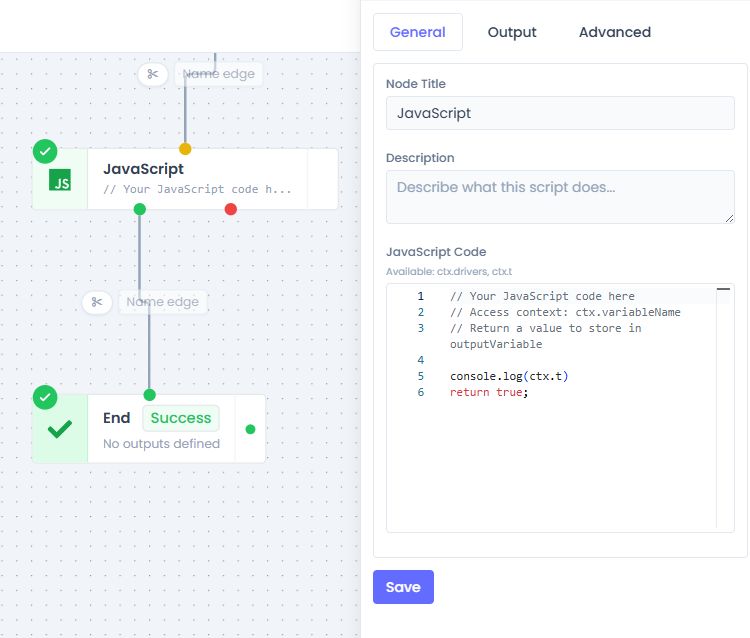
The JavaScript node allows you to execute arbitrary code within a secure, sandboxed environment (vm2). It is the primary tool for data transformation and complex business logic.
- Handler:
javascriptHandler.js - Output Handle:
success(green),error(red)
Configuration Properties
| Property | Type | Default | Required | Description |
|---|---|---|---|---|
code | string | return true; | Yes | The actual JavaScript code to execute. The last evaluated expression or return value constitutes the output. |
outputVariable | string | scriptResult | No | The key under which the return value will be stored in the workflow context. Accessed via ctx.{outputVariable}. |
timeoutSeconds | number | 30 | No | Hard limit on execution time. If exceeded, the node fails with a timeout error. |
retryLimit | number | 0 | No | Number of times to retry execution upon failure (excluding syntax errors). |
retryDelaySeconds | number | 5 | No | Backoff wait time between retry attempts. |
errorHandling | enum | fail_workflow | No | Strategy for handling uncaught errors: fail_workflow, continue (proceed to next node with error output), retry_then_continue, retry_then_fail. |
Context & Sandbox Environment
The code runs in a sandbox with the following restricted global limitations:
- Available Globals:
JSON,Math,Date,Array,Object,String,Number,Boolean,parseInt,parseFloat,isNaN,isFinite. - Unavailable:
process,require,console(stubbed to no-op),setTimeout/setInterval(stubbed).
Context Object (ctx):
Variables from previous nodes are accessed via the global ctx object.
// Example Context Access
const userId = ctx.input.user_id;
const queryData = ctx.myQuery.data;
JSON Structure
{
  "id": "node_123",
  "type": "javascript",
  "data": {
    "code": "return ctx.input.value * 2;",
    "outputVariable": "doubledValue",
    "errorHandling": "continue"
  }
}
Condition Node
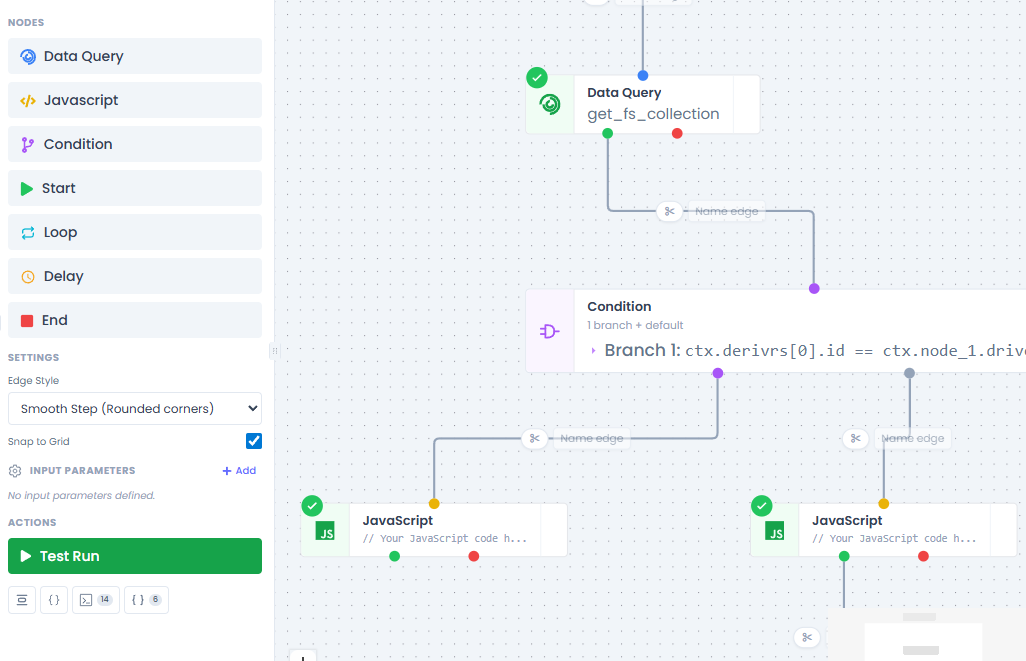
The Condition node executes logic branching. It evaluates a series of JavaScript boolean expressions and routes execution to the first matching branch.
- Handler:
conditionHandler.js - Output Handles: One per branch ID, plus a
defaulthandle.
Configuration Properties
| Property | Type | Default | Required | Description |
|---|---|---|---|---|
branches | array | [] | No | An array of branch objects. Each object contains an id (handle ID) and a condition (JS expression string). |
defaultBranch | string | - | Yes | The handle ID to use if no conditions evaluate to true. |
Evaluation Logic
- Iterates through
branchesin order. - Executes
Boolean(condition_expression)in a VM2 sandbox. - On first
true, returns that branch's ID as thenextHandle. - If none match, returns
defaultBranch.
JSON Structure
{
  "id": "node_456",
  "type": "condition",
  "data": {
    "branches": [
      { "id": "branch_1", "condition": "ctx.status === 'active'" },
      { "id": "branch_2", "condition": "ctx.amount > 100" }
    ],
    "defaultBranch": "branch_default"
  }
}
Data Nodes
Data Query Node
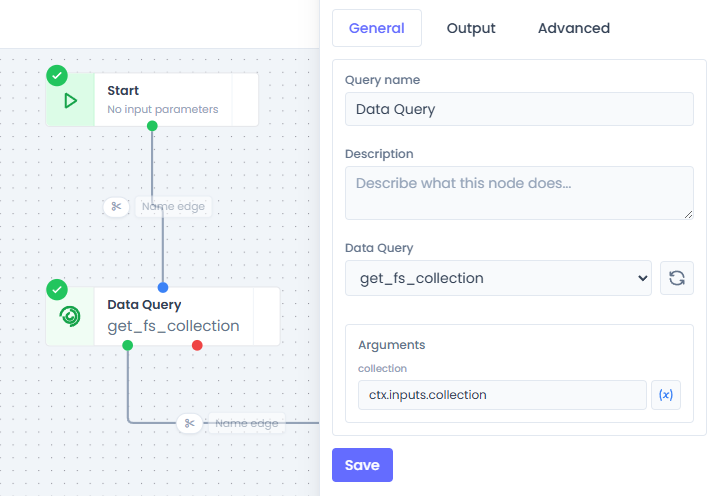
Executes a server-side Data Query (SQL, REST, etc.) defined in the Jet Admin application.
- Handler:
dataQueryHandler.js - Output Handle:
success,error
Configuration Properties
| Property | Type | Default | Required | Description |
|---|---|---|---|---|
dataQueryID | string | - | Yes | UUID of the tblDataQueries record to execute. |
args | object | {} | No | Map of query arguments. Values starting with ctx. are dynamically resolved from context. |
outputVariable | string | queryResult | No | Variable name for the storage of the query result (e.g., rows, status). |
Context Resolution
Dynamic arguments are processed before query execution.
- If an argument value is
"ctx.input.id", it is replaced with the actual value123. - Literal values (e.g.,
"approved") remain as strings.
JSON Structure
{
  "id": "node_789",
  "type": "dataQuery",
  "data": {
    "dataQueryID": "dq_abc123",
    "args": {
      "user_id": "ctx.input.id",
      "status": "pending"
    }
  }
}
Control Flow Nodes
⏱️ Delay Node
Pauses workflow execution for a set period.
- Handler:
delayHandler.js - Mechanism: Non-blocking. The node returns a
queueDelayproperty, causing the Orchestrator to schedule the next node's job into a RabbitMQ delayed queue/exchange.
Configuration Properties
| Property | Type | Default | Required | Description |
|---|---|---|---|---|
delayType | enum | fixed | Yes | fixed (static configuration) or dynamic (read from context). |
delayMinutes | number | 0 | No | Fixed minutes component. |
delaySeconds | number | 0 | No | Fixed seconds component. |
delayMs | number | 0 | No | Fixed milliseconds component. |
delayVariable | string | - | No | If dynamic, the context path to read the total delay (in ms) from. |
🔄 Loop Node
Iterates over an array.
- Handler:
loopHandler.js - Output Handle:
loop(body),done(completion)
Configuration Properties
| Property | Type | Default | Required | Description |
|---|---|---|---|---|
sourceVariable | string | - | Yes | Context path to the array to iterate over. |
itemVariable | string | item | No | The variable name exposed to the loop body context representing the current item. |
indexVariable | string | index | No | The variable name exposed for the current iteration index. |
Execution Flow
- Initialization: The node reads the array.
- Orchestrator Control: The Orchestrator manages the iteration state. It queues the first node of the loop body.
- Completion: When the index reaches the array length, the
donehandle is followed.
Start Node
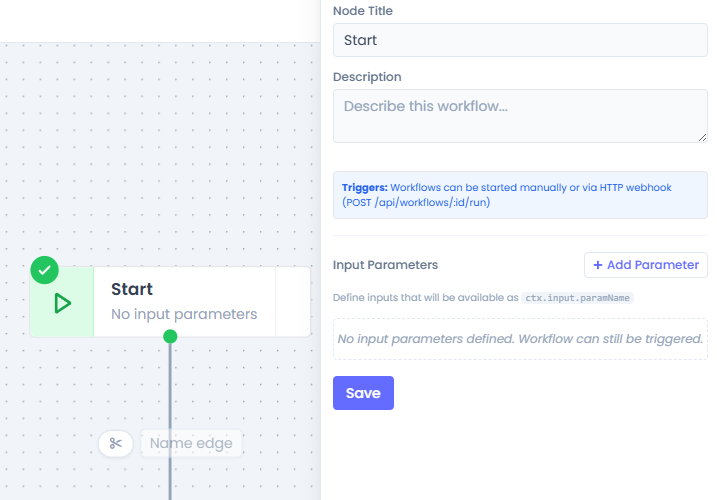
The required entry point.
- Handler:
startHandler.js - Output Handle:
output(default) - Function: Validates input parameters and initializes the execution log. Does not perform logic.
End Node
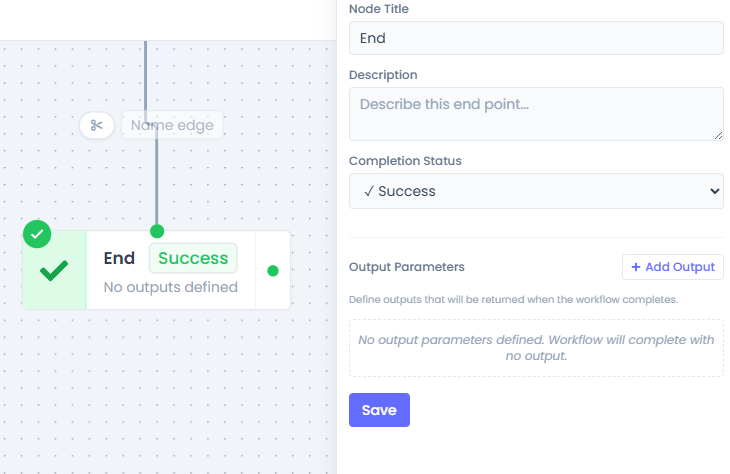
The terminal point.
- Handler:
endHandler.js - Function: Marks the
tblWorkflowInstancesrecord asCOMPLETED. - Output: Constructs a final output object based on
outputParametersmapping, which is persisted to the instance record.