Datasources
A datasource is configuration that allows you to connect to a data source. It is a way to connect to a data source and retrieve data from it, store data in it or perform other operations on it. A datasource can be a database, an API, or a file.
Supported Datasources
Relational Databases
- PostgreSQL: Fully supported.
- MySQL: Coming soon.
- MSSQL: Coming soon.
- CockroachDB: Distributed SQL database compatible with PostgreSQL.
- SQLite: Self-contained, high-reliability, embedded, SQL database engine.
- Oracle: Multi-model database management system.
NoSQL / Others
- MongoDB: NoSQL document database.
- Firestore: Flexible, scalable database for mobile, web, and server development from Firebase.
- Neo4j: Graph database management system.
APIs & Services
- REST API: Connect to any HTTP/HTTPS endpoint.
- Stripe: Payment processing platform.
- Slack: Messaging program specifically designed for output.
- Twilio: Communication APIs for SMS and Voice.
- SendGrid: Email delivery service.
- Notion: All-in-one workspace for notes, tasks, wikis, and databases.
- Jira: Issue tracking and project management tool.
- Google Analytics: Web analytics service offered by Google.
Datasource Management
Datasources can be managed from the Datasources page. You can add, update, delete and test datasources from this page.
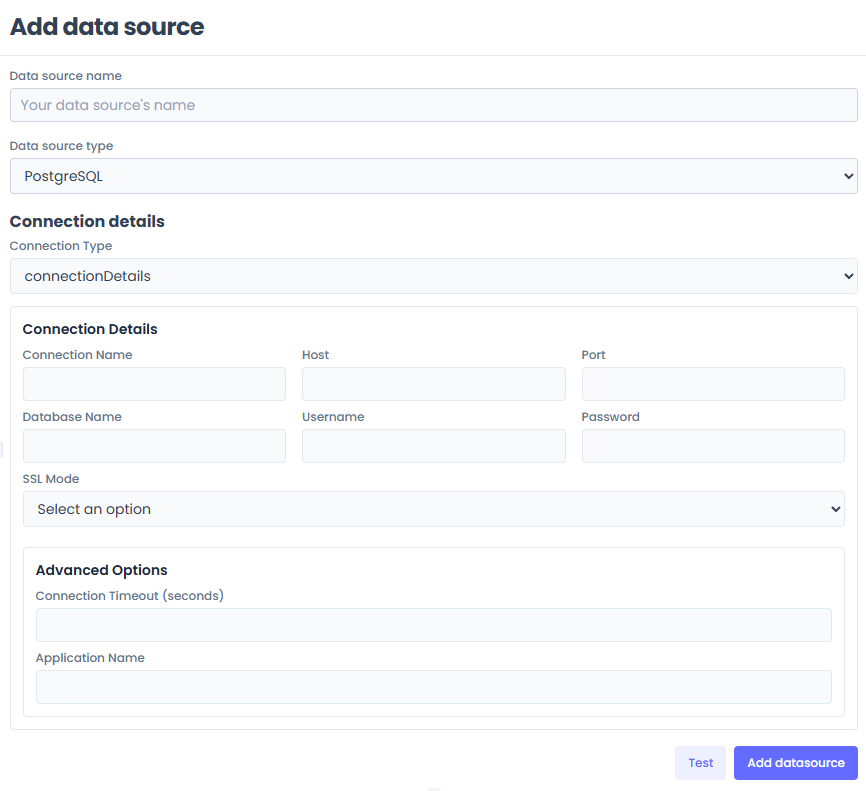
1. Add Datasource
Click on the Add datasource button to add a new datasource. You will be presented with a form to fill in the details of the datasource.
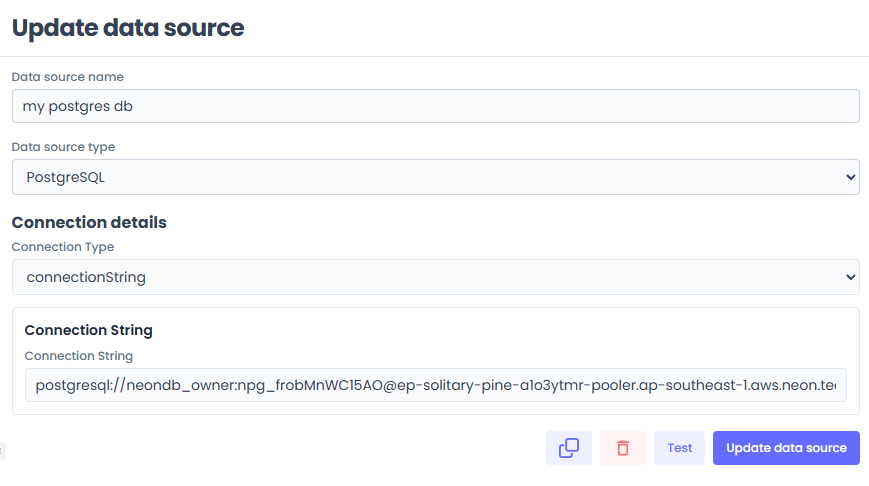
2. Update Datasource
Click on the Update button to update an existing datasource. You will be presented with a form to fill in the details of the datasource.
3. Delete Datasource
Click on the Delete button to delete an existing datasource.
4. Test Datasource
Click on the Test button to test the connection to the datasource.